UI automation testing has become essential for modern software development teams looking to deliver high-quality applications faster. As applications grow more complex and release cycles accelerate, manual testing alone can't keep pace with the demands of continuous integration and deployment.
According to industry research, AI-powered test automation can reduce test maintenance costs by up to 80% while accelerating testing cycles. With the right UI automation tool, you can catch bugs earlier, improve test coverage, and free your team to focus on strategic testing initiatives rather than repetitive manual tasks.
Key Takeaways
- AI-powered automation tools are transforming UI testing by reducing maintenance costs and accelerating test creation through natural language processing
- Open-source frameworks like Selenium and Appium remain popular for their flexibility and multi-platform support, while commercial tools offer advanced features like self-healing tests
- Cross-platform testing capabilities are essential, with leading tools supporting web, mobile, desktop, and even embedded systems from a single platform
- Visual regression testing with AI-powered detection helps teams catch UI bugs instantly and reduce manual review time by up to 3x
Evaluation Criteria
To compile this list, we analyzed leading UI automation tools based on platform support, AI capabilities, integration options, ease of use, pricing transparency, and real-world performance. We prioritized tools with proven track records, active development communities, and documented ROI from enterprise deployments. Our evaluation included both open-source frameworks and commercial platforms to provide options for teams of all sizes and budgets.
- Platform Support: Evaluate whether the tool supports your target platforms (web, mobile, desktop, embedded) and operating systems to ensure comprehensive test coverage across your application ecosystem.
- AI and Self-Healing Capabilities: Modern tools with AI-powered test creation and self-healing features can dramatically reduce maintenance overhead by automatically adapting to UI changes and generating tests from natural language.
- Integration and Ecosystem: Consider how well the tool integrates with your existing CI/CD pipeline, testing frameworks, version control systems, and development workflows to streamline automation.
- Ease of Use and Learning Curve: Assess whether the tool offers codeless options, record-and-playback features, or requires programming knowledge, and how quickly your team can become productive.
- Pricing and Total Cost of Ownership: Factor in licensing costs, infrastructure requirements, maintenance overhead, and whether open-source alternatives can meet your needs before committing to commercial solutions.
- Scalability and Performance: Determine if the tool can handle your test volume, supports parallel execution across multiple environments, and maintains fast execution times as your test suite grows.
Comparison Table
1. Testim
Best for AI-powered autonomous testing across web, mobile, and Salesforce
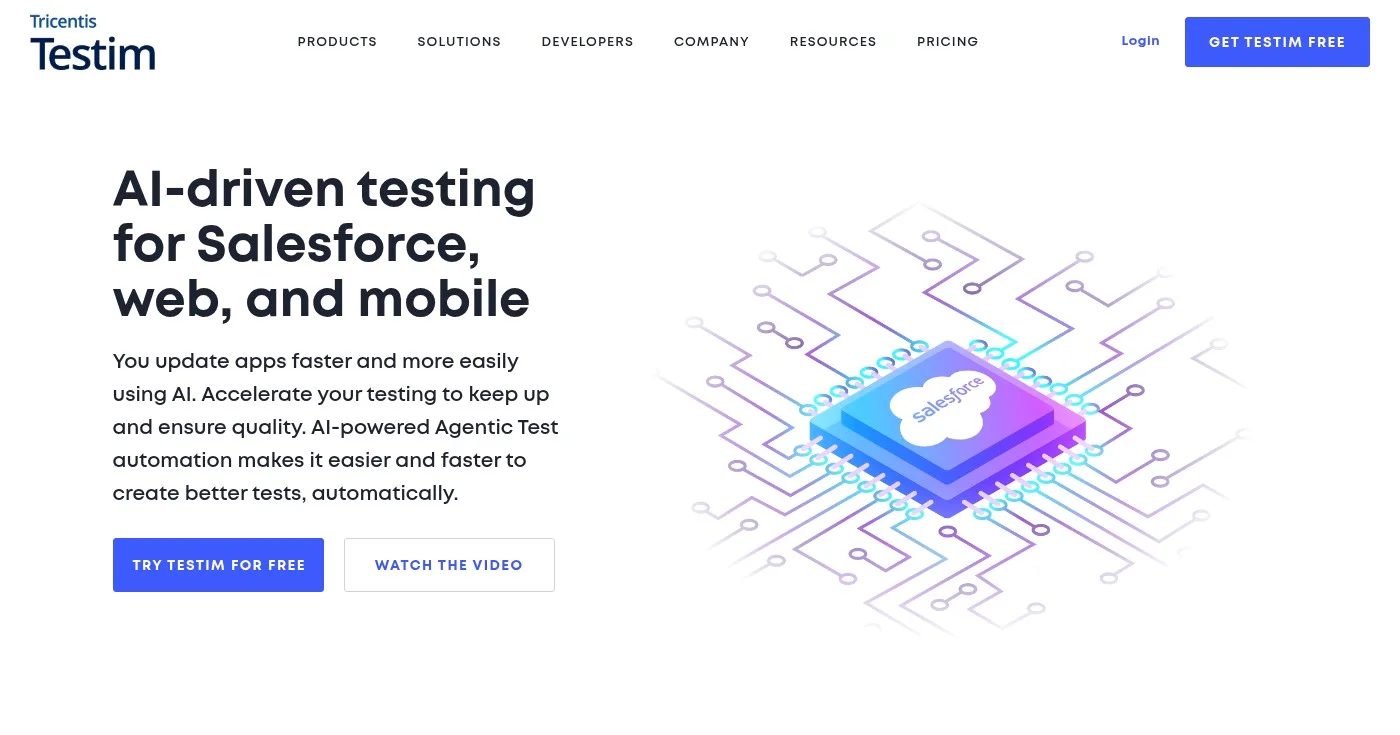
Testim is an AI-powered test automation platform that revolutionizes how teams create and maintain tests for web, mobile, and Salesforce applications.
Using agentic test automation, Testim enables you to create tests autonomously using natural language, dramatically reducing the time and expertise required for test authoring.
The platform integrates AI and machine learning throughout the entire testing lifecycle, from test creation to execution and maintenance.
With custom locators powered by AI/ML, Testim intelligently identifies UI elements even when they change, reducing test maintenance costs and eliminating the brittleness that plagues traditional automation frameworks.
Key Features
- AI-driven autonomous test creation: Write tests using natural language instructions, and Testim's AI agents automatically generate the automation code, making test creation accessible to non-programmers.
- Custom locators with AI/ML: Intelligent element identification adapts to UI changes automatically, reducing test failures caused by minor interface updates and cutting maintenance time significantly.
- Multi-platform testing support: Test web applications across browsers, mobile apps on iOS and Android, and Salesforce applications from a single platform with consistent workflows.
- Root cause analysis: Automatically diagnose test failures with detailed insights into what went wrong, helping you troubleshoot issues faster and reduce debugging time.
- Codeless Salesforce testing: Automate Salesforce testing without writing code, enabling business analysts and QA professionals to create comprehensive test coverage for Salesforce implementations.
Pros
- AI automates test creation, reducing manual effort and enabling faster test authoring with natural language
- Reduces test maintenance costs significantly with intelligent locators that adapt to UI changes
- Supports multiple platforms including web, mobile (iOS/Android), and Salesforce from one unified platform
- Fast test authoring allows teams to build comprehensive test suites quickly without extensive coding
- Root cause analysis accelerates troubleshooting by automatically identifying why tests fail
Cons
- Pricing not transparent on website, requiring sales contact for quotes which may delay evaluation
- Requires learning AI-driven testing approach, which may differ from traditional automation methodologies
- May have learning curve for teams new to agentic automation concepts and workflows
- Limited information available about free tier capabilities and restrictions
Pricing
Testim offers a free Community Plan for getting started, with paid plans requiring you to contact their sales team for custom pricing.
- Community Plan: Free
- Web Plan: Contact sales
- Mobile Plan: Contact sales
- Salesforce Plan: Contact sales
For detailed information about features included in each tier, visit their pricing page.
2. Selenium
Best for Open-source cross-browser web automation at scale
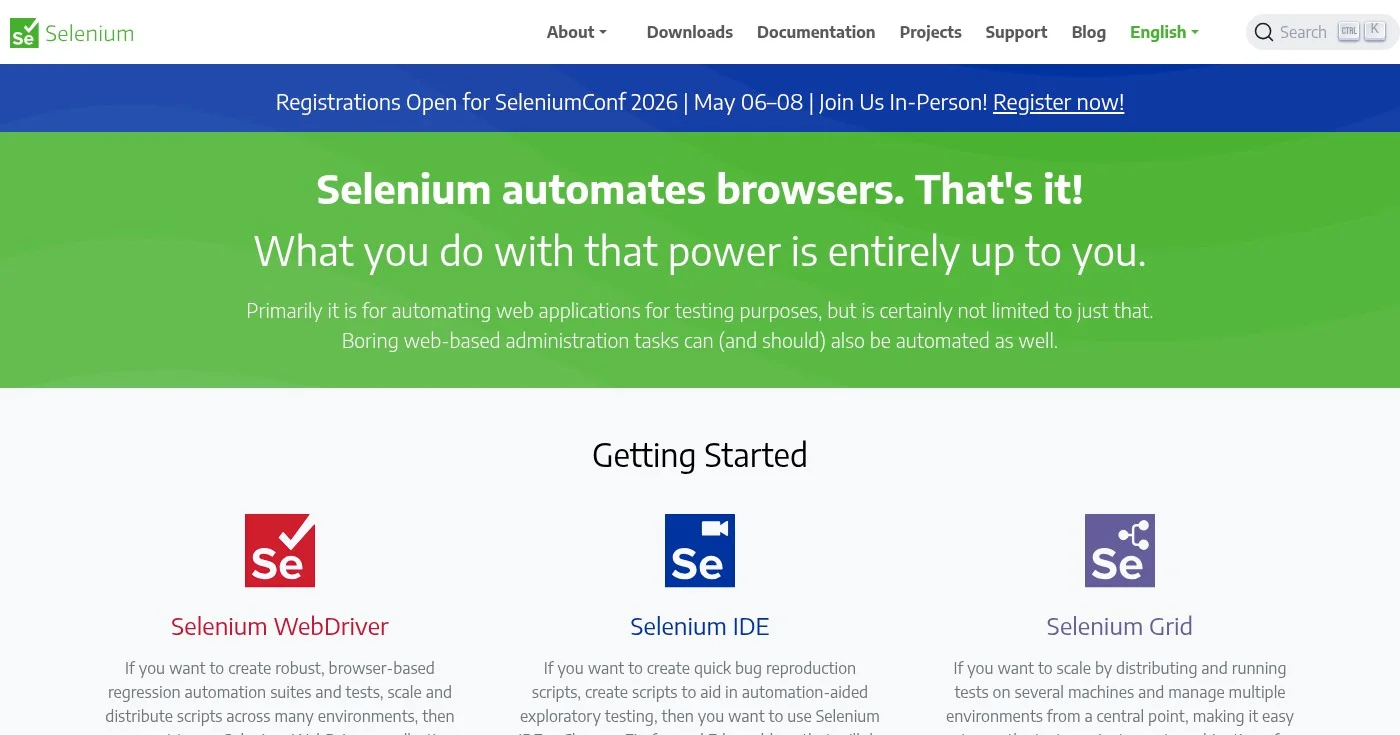
Selenium is the industry-standard open-source framework for automating web browsers.
As one of the most widely adopted UI automation tools, Selenium enables you to create robust regression test suites, reproduce bugs quickly, and distribute tests across multiple machines and environments.
With Selenium WebDriver, you can write tests in your preferred programming language—including Java, Python, C#, Ruby, and JavaScript—and execute them across Chrome, Firefox, Edge, and Safari browsers.
The framework's flexibility and extensive community support make it a go-to choice for teams needing complete control over their test automation strategy.
Key Features
- Multi-language browser automation: Write tests in Java, Python, C#, Ruby, JavaScript, or Kotlin, allowing teams to use their existing programming expertise without learning new languages.
- Selenium WebDriver: Create robust, browser-based regression automation suites that interact with web applications just like real users, providing reliable end-to-end testing.
- Selenium IDE: Record and playback browser interactions with a simple Chrome/Firefox extension, enabling quick test creation without programming for simple scenarios.
- Selenium Grid: Distribute test execution across multiple machines, browsers, and operating systems simultaneously, dramatically reducing test suite execution time.
- Cross-browser compatibility: Run the same tests across Chrome, Firefox, Edge, and Safari to ensure your application works consistently for all users regardless of their browser choice.
Pros
- Completely free and open-source with no licensing costs or vendor lock-in
- Supports multiple programming languages, allowing teams to use their existing skills
- Automates across multiple browsers and operating systems for comprehensive cross-browser testing
- Scalable for distributed testing with Selenium Grid across hundreds of parallel sessions
- Well-established with strong community support, extensive documentation, and third-party integrations
Cons
- Requires programming knowledge for WebDriver, making it less accessible to non-technical testers
- Steeper learning curve compared to codeless or IDE-only solutions, especially for complex scenarios
- Maintenance required when web applications change, as tests can become brittle without proper design patterns
- IDE limited to simple record-and-playback functionality, requiring WebDriver for advanced testing needs
Pricing
Selenium is completely free and open-source under the Apache License 2.0, with no licensing costs or usage restrictions.
Learn more at the Selenium website.
Best for Enterprise automation with RPA and AI agents
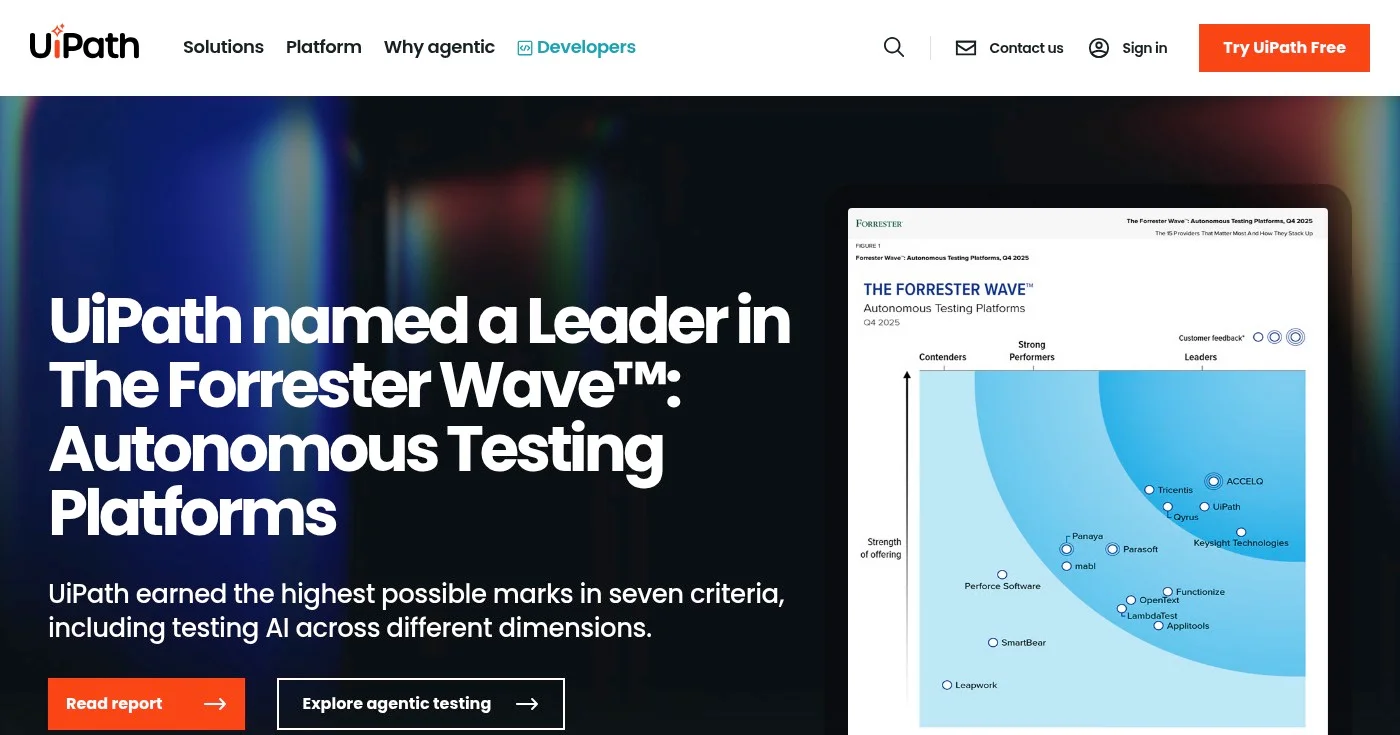
UiPath is an enterprise automation platform that combines robotic process automation (RPA), AI, and agentic automation to drive digital transformation at scale.
While broader than just UI testing, UiPath enables organizations to automate complex business processes, streamline operations, and deploy autonomous agents across various industries including banking, healthcare, insurance, and public sector.
Recognized as a Leader in the Forrester Wave for Autonomous Testing Platforms and named one of TIME's Best Inventions of 2025, UiPath delivers proven ROI with documented case studies showing significant cost savings.
The platform's testing automation capabilities integrate seamlessly with its broader automation suite, enabling end-to-end process automation beyond traditional UI testing.
Key Features
- Agentic automation and orchestration: Deploy AI-powered autonomous agents that can execute complex workflows, make decisions, and adapt to changing conditions without constant human intervention.
- Robotic process automation (RPA): Automate repetitive tasks across applications and systems, mimicking human interactions to streamline business processes and reduce manual effort.
- AI-powered autonomous agents: Leverage artificial intelligence to create agents that can learn, adapt, and optimize automation workflows over time based on performance data.
- Multi-industry solutions: Pre-built automation solutions tailored for banking, healthcare, insurance, public sector, and manufacturing with industry-specific compliance and workflows.
- FedRamp authorization: Government-grade security and compliance certification enables public sector organizations to deploy automation with confidence in regulated environments.
Pros
- Named Leader in Forrester Wave for Autonomous Testing Platforms, validating enterprise-grade capabilities
- Recognized as TIME's Best Invention of 2025, demonstrating innovation leadership in automation
- Proven ROI with documented case studies such as WEX saving $2.7M through automation
- Supports multiple industries with tailored solutions for banking, healthcare, insurance, manufacturing, and public sector
- FedRamp authorized for government use, meeting stringent security and compliance requirements
Cons
- No transparent pricing available on website for most plans, requiring sales contact
- Requires contacting sales for quotes, which can slow down evaluation and procurement
- Enterprise-focused platform likely not suitable for small businesses or individual developers
- Pricing information not readily accessible, making budget planning difficult without sales engagement
Pricing
UiPath's Basic plan starts at $25/month, with Standard, Enterprise, and Test Cloud pricing available through sales consultation.
- Basic: $25/mo
- Standard: Contact sales
- Enterprise: Contact sales
- Test Cloud (Standard Tier): Contact sales
For complete pricing details and feature comparisons, visit their pricing page.
4. Cypress
Best for Modern JavaScript app testing with real-time debugging
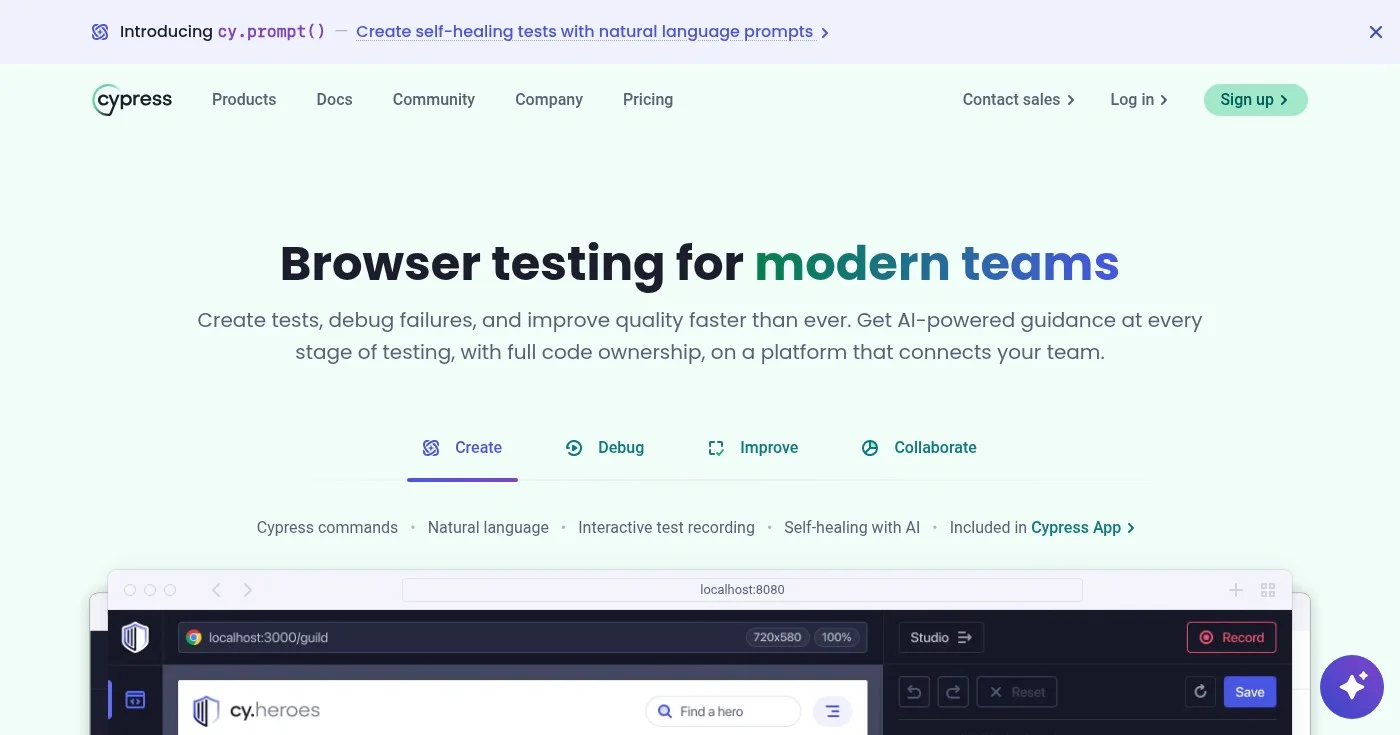
Cypress is a modern browser testing framework built specifically for JavaScript applications.
Unlike traditional testing tools, Cypress runs directly in the browser alongside your application, enabling real-time test execution, debugging, and instant feedback as you develop.
With AI-powered guidance, natural language test generation, and self-healing capabilities, Cypress helps you write reliable tests faster and maintain them with minimal effort.
The platform's Cypress Studio provides interactive test recording, while in-browser debugging with developer tools makes troubleshooting failures intuitive and efficient.
Key Features
- Real-time test execution and debugging: Tests run directly in the browser with live reloading, allowing you to see exactly what's happening and debug failures using familiar browser developer tools.
- Natural language test generation with AI: Describe what you want to test in plain English, and Cypress's AI generates the corresponding test code, accelerating test creation for teams of all skill levels.
- Self-healing tests with AI: AI automatically adapts tests to minor UI changes, reducing maintenance overhead and preventing false failures from cosmetic application updates.
- Cypress Studio interactive recording: Record user interactions directly in the browser to generate test code automatically, making test creation accessible without extensive programming knowledge.
- Flaky test detection and elimination: Deterministic test interactions and built-in retry logic identify and eliminate flaky tests, ensuring consistent results across test runs and environments.
Pros
- Fast test execution in real browser environment with instant feedback and live reloading
- Easy to write and record tests with natural language support and Cypress Studio
- Powerful debugging capabilities with in-browser developer tools and time-travel debugging
- Eliminates flaky tests with deterministic interactions and automatic retry logic
- Strong community and ecosystem with extensive documentation and third-party integrations
Cons
- Limited to JavaScript/web applications, not suitable for mobile or desktop testing
- Cypress Cloud features require paid subscription for advanced capabilities like parallelization
- Steeper learning curve for complex test scenarios compared to simple record-and-playback tools
- Browser-based testing may have limitations for certain test types like multi-tab workflows
Pricing
Cypress offers a generous free Starter plan with core testing features. The Team plan starts at $67/month (billed annually), Business at $267/month (billed annually), and Enterprise pricing is available through consultation.
- Starter: Free
- Team: $67/month (billed annually at $799)
- Business: $267/month (billed annually at $3,199)
- Enterprise: Contact sales
For detailed feature comparisons, visit their pricing page.
5. BrowserStack Percy
Best for AI-powered visual regression testing in CI/CD
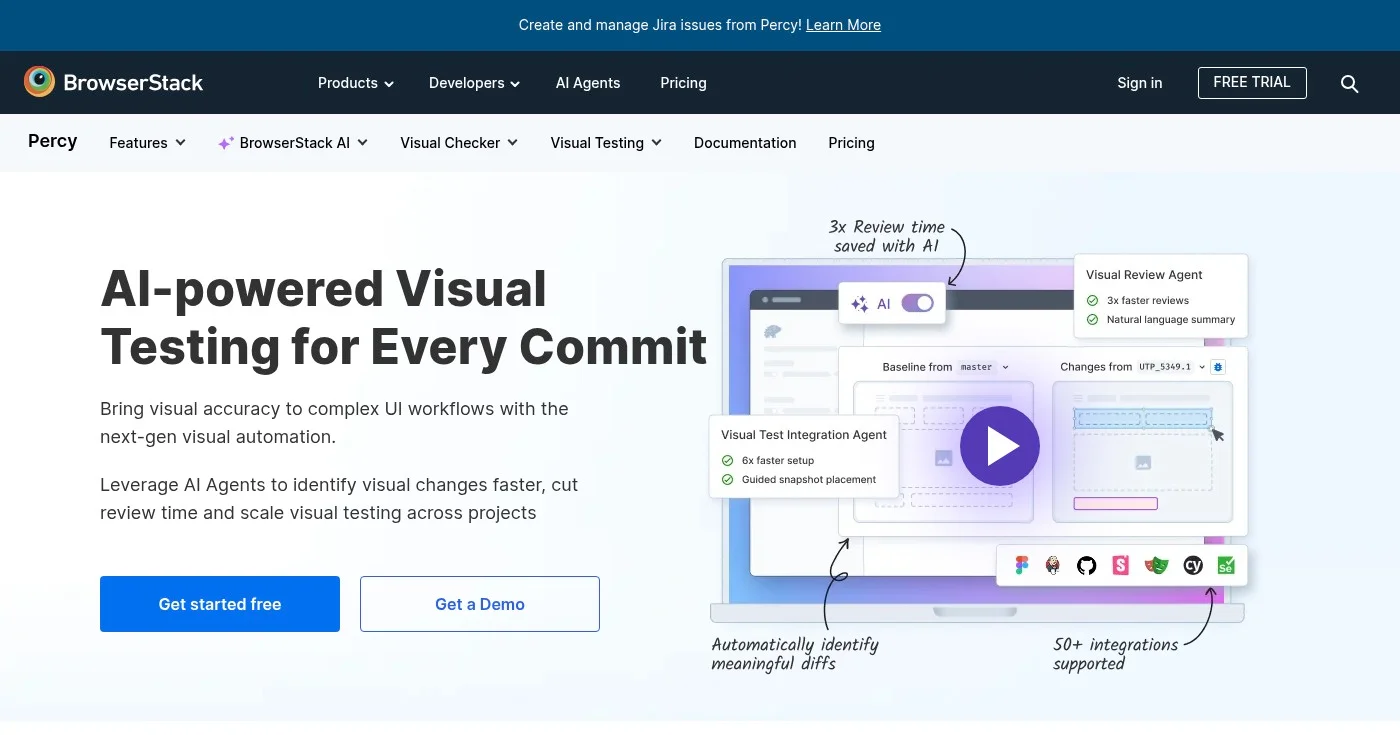
BrowserStack Percy is an AI-powered visual testing and review platform that integrates seamlessly into your CI/CD pipeline to catch visual regressions with every commit.
By automatically capturing screenshots and comparing them against baselines, Percy helps you identify unintended visual changes before they reach production.
Percy's Visual Review Agent uses AI to provide natural-language summaries of visual changes, reducing review time by up to 3x.
With intelligent filtering that ignores dynamic elements and noise, Percy focuses your attention on genuine visual bugs while eliminating false positives that waste time.
Key Features
- AI-powered visual regression detection: Automatically capture and compare screenshots across commits to identify visual changes, with AI highlighting significant differences and filtering out noise.
- Visual Review Agent with natural-language summaries: AI analyzes visual changes and provides plain-English descriptions of what changed and why, accelerating review and approval workflows.
- Cross-browser and multi-resolution testing: Test visual consistency across different browsers, devices, and screen resolutions to ensure your UI looks perfect for all users.
- Intelli-ignore for dynamic elements: Automatically filter out dynamic content like timestamps, ads, and animations that change between test runs, reducing false positives and review noise.
- Root Cause Analysis: Dive deep into visual changes with DOM, CSS, and layout analysis to understand exactly what code changes caused the visual regression.
Pros
- AI-driven setup is 6x faster than manual configuration, accelerating time to value
- Reduces review time by 3x with Visual Review Agent providing instant summaries
- Catches visual bugs instantly with 2.4M+ bugs caught across customers, proven at scale
- Eliminates visual noise with Intelli-ignore, focusing reviews on genuine issues
- Seamless CI/CD integration with 50+ integrations including GitHub, GitLab, Jenkins, and CircleCI
Cons
- Requires integration into existing workflows, which may need initial setup time
- Pricing details for paid plans not fully transparent on website
- Limited platform information available in public documentation
- May require additional BrowserStack products for comprehensive testing beyond visual regression
Pricing
Percy offers a free plan to get started, with paid plans starting at approximately $12.50/month when billed annually.
- Free: $0
- Starting Plan: Approximately $12.50/month (billed annually)
For complete pricing details and feature limits, visit their pricing page.
6. Espresso
Best for Native Android UI testing framework
Espresso is Google's official UI testing framework for Android applications, enabling you to write reliable, fast UI tests in Kotlin or Java.
As the recommended testing framework for Android development, Espresso provides a simple yet powerful API for automating user interactions and verifying UI behavior.
Espresso tests run directly on the device or emulator, providing fast execution and accurate results that reflect real user experiences.
The framework integrates seamlessly with Android Studio and supports both native Android apps and hybrid applications, making it the go-to choice for Android developers focused on quality.
Key Features
- Kotlin and Java support: Write tests in Kotlin or Java using a clean, expressive API that makes test code readable and maintainable for Android developers.
- Google official framework: As Google's recommended testing framework, Espresso receives ongoing support, updates, and integration with the latest Android features and best practices.
- Fast and reliable execution: Tests run directly on devices or emulators with automatic synchronization, ensuring fast execution and eliminating flaky tests caused by timing issues.
- Android Studio integration: Seamlessly integrated into Android Studio's development environment, allowing you to write, run, and debug tests without leaving your IDE.
- Espresso API automation: Comprehensive API for simulating user interactions including clicks, swipes, text entry, and complex gestures with precise control.
Pros
- Official Google framework with ongoing support and Android platform integration
- Fast and reliable test execution with automatic synchronization eliminating flaky tests
- Clean, expressive API makes tests readable and maintainable
- Seamless Android Studio integration for efficient development workflows
- One-time purchase pricing with no recurring subscription costs
Cons
- Limited to Android platform only, not suitable for cross-platform testing
- Requires programming knowledge in Kotlin or Java
- No cloud execution or device farm included, requiring local devices or third-party services
- Pricing information suggests this may be a different Espresso product than Google's free framework
Pricing
Espresso is available for a $99 one-time purchase for the standard license, with upgrade pricing at $69 for existing users. Educational discounts of 50% and volume discounts are available.
- Standard License: $99 one-time
- Upgrade from previous versions: $69 one-time
- Educational Discount: 50% off standard license
- Volume Discount: Variable, based on quantity
Visit their pricing page for more details.
7. Appium
Best for Open-source mobile app automation for iOS and Android

Appium is the leading open-source framework for automating UI testing of native, hybrid, and mobile web applications on Android and iOS platforms.
Using the industry-standard WebDriver protocol, Appium enables you to write tests in any programming language and run them across real devices, emulators, and simulators.
As a cross-platform solution, Appium allows you to reuse test code across iOS and Android, reducing duplication and maintenance overhead. The framework's flexibility and extensive community support make it the preferred choice for teams needing comprehensive mobile test automation without vendor lock-in or licensing costs.
Key Features
- WebDriver protocol support: Uses the standard WebDriver protocol, allowing you to write tests in any language with WebDriver bindings including Java, Python, Ruby, JavaScript, and C#.
- Native and hybrid app testing: Test native iOS and Android apps, hybrid apps built with frameworks like React Native or Ionic, and mobile web applications from a single framework.
- Cross-platform mobile automation: Write tests once and run them on both iOS and Android with minimal modifications, reducing test maintenance and development time.
- Real device and emulator support: Execute tests on physical devices, iOS simulators, and Android emulators to validate behavior across different device configurations and OS versions.
- No app modification required: Test applications without requiring source code access or SDK integration, enabling testing of third-party apps and production builds.
Pros
- Completely free and open-source with no licensing costs or vendor lock-in
- Cross-platform support allows code reuse between iOS and Android testing
- Uses standard WebDriver protocol, leveraging existing Selenium knowledge and tools
- Supports multiple programming languages for flexibility in test development
- Large community with extensive documentation, plugins, and third-party integrations
Cons
- Requires programming knowledge and WebDriver experience for effective use
- Setup and configuration can be complex, especially for iOS testing on macOS
- Test execution can be slower compared to native frameworks like Espresso or XCUITest
- Maintenance overhead when mobile OS versions change or apps update significantly
Pricing
Appium is completely free and open-source under the MIT License, with no licensing costs or usage restrictions.
8. AskUI
Best for Self-healing cross-platform AI automation
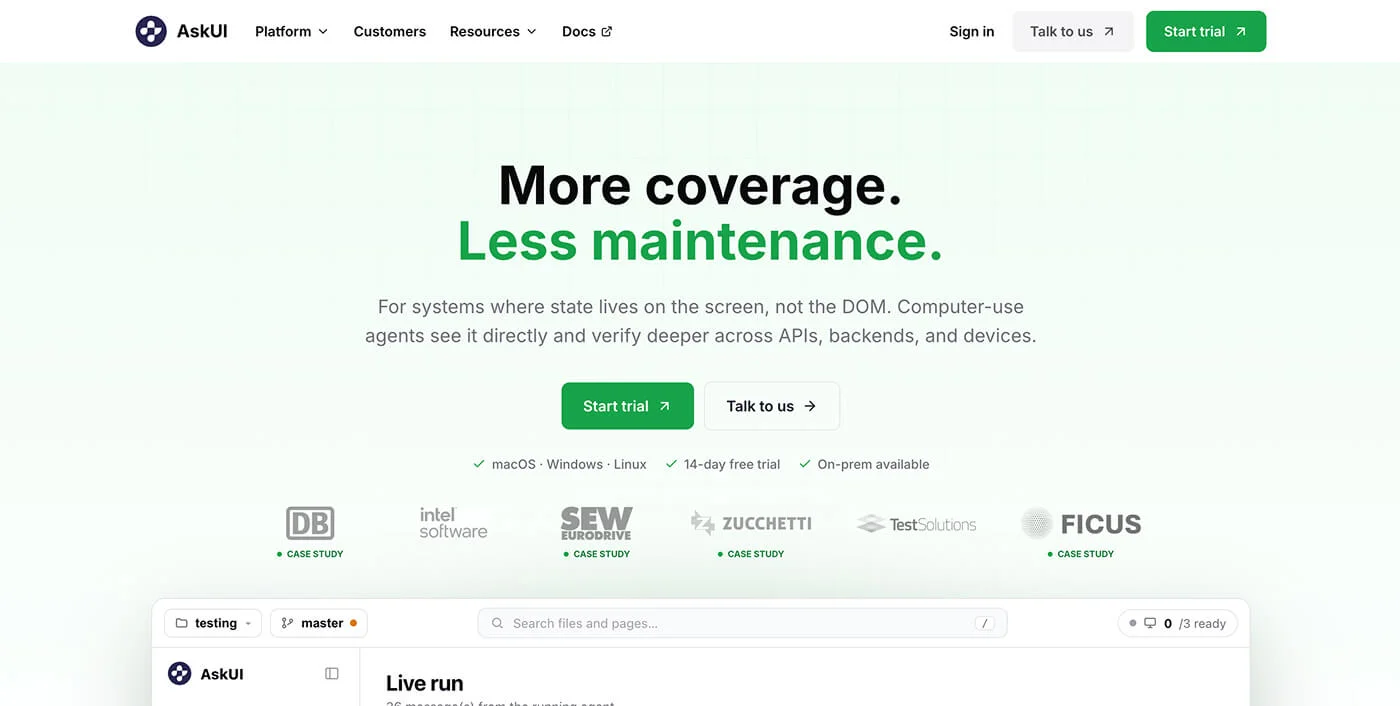
AskUI is an AI agent infrastructure platform that enables teams to run automated tasks across any device—desktop, mobile, embedded systems, and HMI devices.
Unlike traditional automation tools limited to specific platforms, AskUI uses natural language task definitions and AI agents to execute automations that adapt to UI changes without manual maintenance.
With self-healing capabilities, AskUI automatically adjusts to UI changes, eliminating the brittleness that plagues traditional automation frameworks.
The platform's smart caching skips unchanged automations, while full audit trails ensure compliance-ready reporting for regulated industries. AskUI has demonstrated the ability to reduce testing time by up to 80% in real-world deployments.
Key Features
- Run AI agents on any device: Execute automations across desktop, mobile, embedded systems, HMI, POS, and web platforms from a single infrastructure without platform-specific limitations.
- Natural language and code-based task definition: Define automation tasks using plain English descriptions or code, making automation accessible to both technical and non-technical team members.
- Self-healing automation: AI agents automatically adapt to UI changes without manual test maintenance, dramatically reducing the overhead of keeping tests current.
- Smart caching: Automatically skip unchanged automations to optimize execution time and resource usage, focusing effort on areas that have actually changed.
- Full audit trail and compliance reporting: Enterprise-grade logging and reporting capabilities ensure compliance with regulatory requirements and provide complete visibility into automation execution.
Pros
- Reduces testing time significantly with documented 80% reduction in real deployments
- Self-healing adapts to UI changes automatically, eliminating manual test maintenance
- Supports any device type without brittleness, from desktop to embedded systems
- Enterprise-grade infrastructure with production-ready scalability and reliability
- Full audit trail ensures compliance for regulated industries like healthcare and finance
Cons
- Pricing not transparent on homepage, requiring sales contact for quotes
- Requires demo booking to understand costs and evaluate ROI
- No free plan mentioned, potentially limiting trial and evaluation options
- Limited information on learning curve for setup and initial configuration
Pricing
AskUI pricing is available through direct consultation with their sales team.
- Contact for pricing: Custom
For enterprise pricing and custom deployment options, visit askui.com.
9. WinAppDriver
Best for Windows desktop application automation
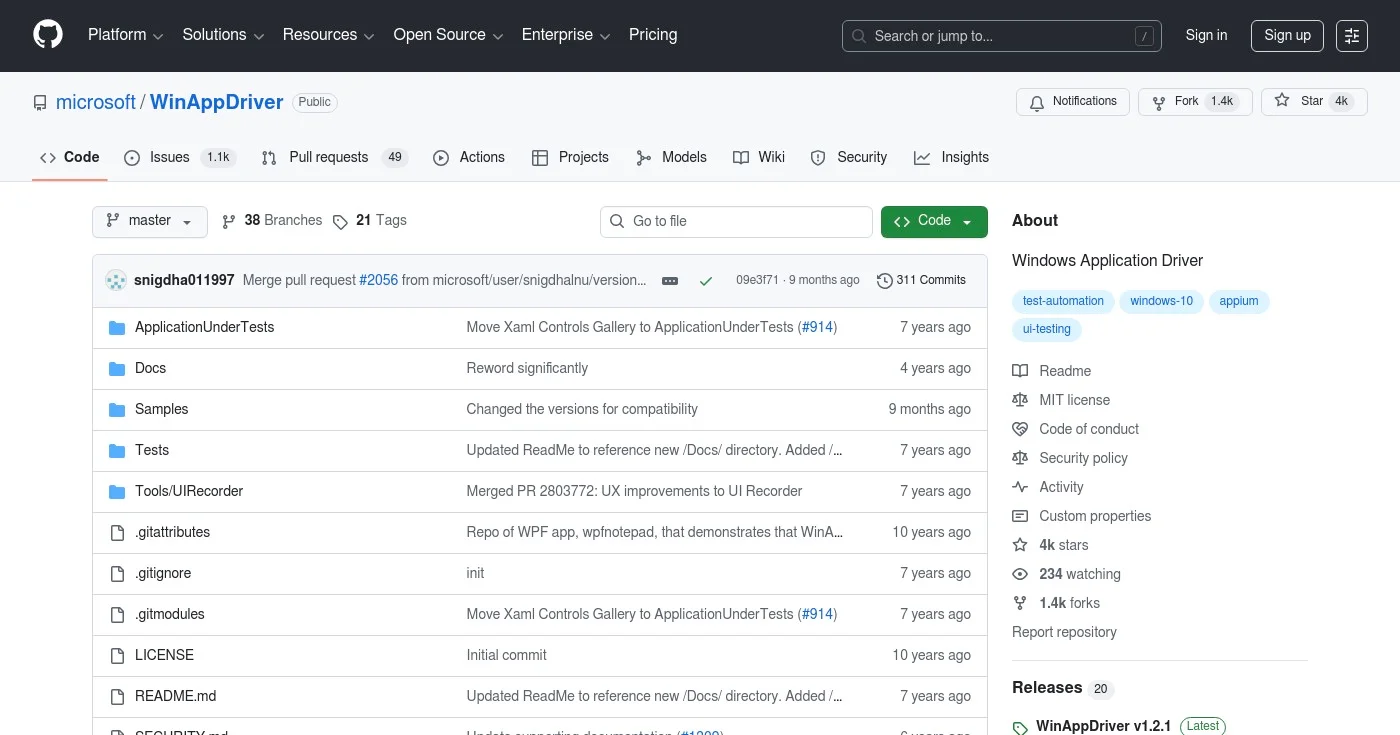
Windows Application Driver (WinAppDriver) is Microsoft's official service for enabling Selenium-like UI test automation on Windows applications.
Supporting Universal Windows Platform (UWP), Windows Forms (WinForms), Windows Presentation Foundation (WPF), and Classic Windows (Win32) apps, WinAppDriver brings the familiar WebDriver API to Windows desktop testing.
As an open-source Microsoft project, WinAppDriver integrates seamlessly with existing Selenium-based testing infrastructure, allowing teams to leverage their WebDriver knowledge for Windows desktop automation. The service runs on Windows 10 PCs and provides configurable network settings for distributed testing scenarios.
Key Features
- Selenium-like UI test automation: Uses the familiar WebDriver protocol and API, allowing teams with Selenium experience to quickly adopt Windows desktop testing without learning new frameworks.
- Support for multiple Windows app types: Test UWP, WinForms, WPF, and Classic Windows (Win32) applications from a single framework, covering the full spectrum of Windows desktop development.
- Configurable network settings: Configure custom IP addresses and ports for WinAppDriver to support distributed testing and integration with cloud-based testing infrastructure.
- Developer Mode integration: Integrates with Windows 10 Developer Mode to enable testing capabilities while maintaining system security and stability.
- Sample tests and documentation: Includes comprehensive sample tests and documentation on GitHub to accelerate learning and implementation for new users.
Pros
- Free and open-source under MIT license with no licensing costs
- Official Microsoft product with ongoing support and updates
- Supports multiple Windows app types including UWP, WinForms, WPF, and Win32
- Selenium-like API provides familiar interface for teams with WebDriver experience
- Configurable network settings enable distributed testing and cloud integration
Cons
- Windows 10 only, with limited support for older Windows versions
- Requires administrator privileges for custom IP/port configuration
- Requires Developer Mode to be enabled, which may not be suitable for all environments
- Limited to Windows platform, not suitable for cross-platform testing needs
Pricing
WinAppDriver is completely free and open-source under the MIT License.
Download and documentation are available on GitHub.
10. Shiplight
Best for AI-native teams that need automated UI verification built into their coding agent workflow
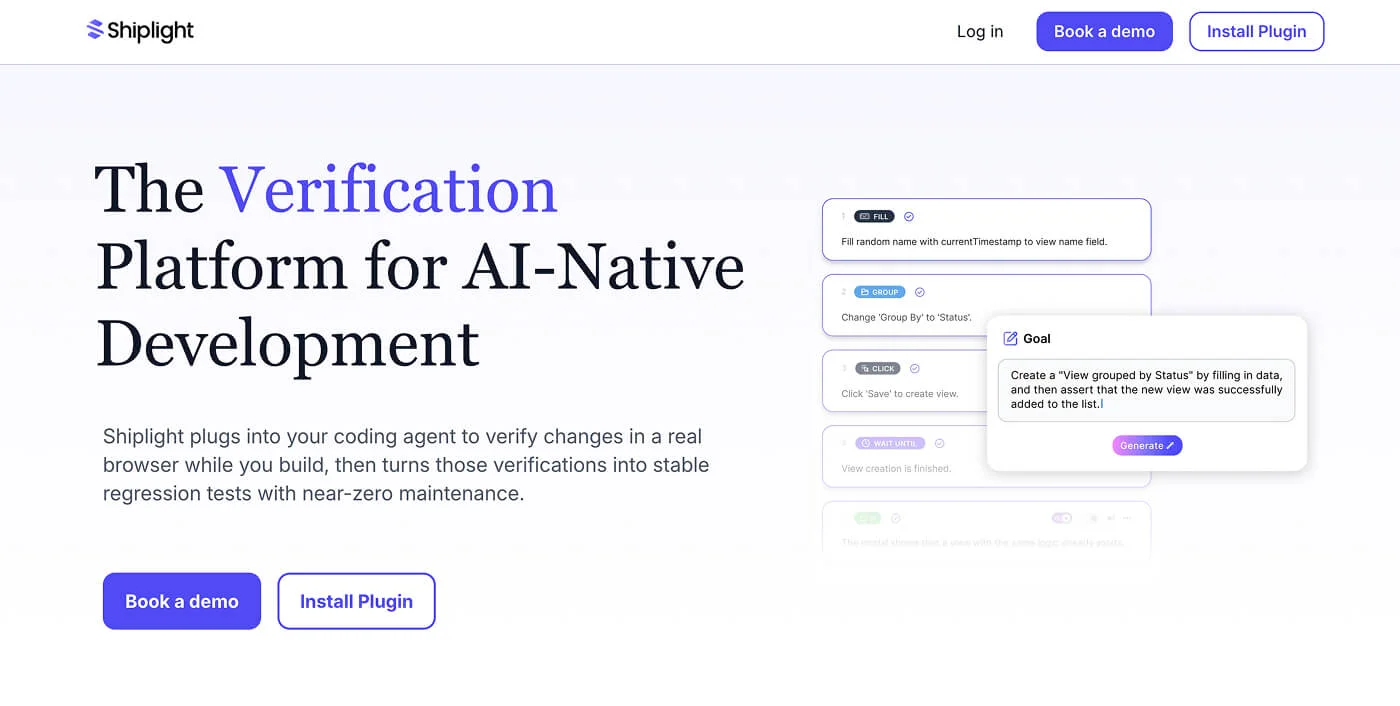
Shiplight is an AI-native UI automation platform that helps engineering and QA teams create, run, and maintain end-to-end tests with much less manual work. Instead of relying on brittle selectors or heavy test maintenance, Shiplight uses autonomous AI agents to verify real user flows in a browser, generate readable E2E tests, and keep those tests up to date as the product changes. This makes it especially useful for teams shipping frequent UI changes, using AI coding tools, or struggling with flaky Playwright and Selenium test suites.
Shiplight is designed for modern web applications where release speed matters, but regressions are costly. Teams can use it to build coverage around critical workflows, catch issues before production, and reduce the ongoing effort required to maintain automated tests.
Key Features
- AI-powered test generation: Create end-to-end tests from product flows and natural language goals, reducing the time needed to build test coverage.
- Self-healing test maintenance: Tests adapt as the UI changes, helping teams avoid constant fixes caused by selector drift or minor DOM updates.
- Real browser verification: Shiplight verifies workflows in a live browser, making it useful for catching real UI and user-flow regressions.
- CI/CD integration: Run tests as part of your development pipeline so regressions are caught before release.
- Debugging and failure analysis: Review screenshots, videos, logs, and failure context to understand what went wrong faster.
- Designed for AI-native teams: Shiplight fits teams using tools like Cursor, Claude Code, Codex, and other coding agents where software changes faster than traditional QA can keep up.
Pros
- Natively designed for AI coding agent workflows like Cursor, Claude Code, Codex, and other agentic development tools
- Natural language test authoring makes E2E test creation accessible to developers, QA teams, and non-technical product team members
- Self-healing tests dramatically reduce the ongoing maintenance burden caused by UI and DOM changes
- Proven customer impact, including a QA team that reduced test authoring and maintenance from about 60% of their workload to nearly 0%
- Cloud test execution included, so teams do not need to manage separate browser runner infrastructure
- Intent-based execution is more resilient to UI changes than traditional selector-based frameworks
Cons
- Pricing is not publicly listed, so teams need to contact sales for details.
- Teams with very small or rarely changing products may not need the full AI-native workflow.
- Like most AI-driven testing platforms, it may require some initial setup and workflow alignment.
- Works best when paired with an AI coding agent workflow
Pricing
Shiplight offers a free trial to get started, with full onboarding support included. Paid plans are available upon request.
- Free Trial: Available, with guided setup assistance
- Paid Plans: Contact sales for pricing
For complete pricing details, book a demo.
11. Winium
Best for Windows desktop and mobile automation

Winium is a free, open-source Selenium-based automation framework specifically designed for testing Windows applications.
Providing Selenium Remote WebDriver implementations for Windows Desktop apps (WinForms, WPF), Windows Store apps, and Windows Phone/Mobile applications, Winium brings the power of Selenium to the Windows ecosystem.
With support for multiple programming languages including Java, C#, Python, Ruby, JavaScript, PHP, Perl, Clojure, and Objective-C, Winium enables teams to write Windows automation tests in their preferred language.
The framework is compatible with any testing framework that supports Selenium WebDriver, making integration into existing test suites straightforward.
Key Features
- Selenium-based WebDriver implementation: Uses the standard Selenium WebDriver API, allowing teams to leverage existing Selenium knowledge and tools for Windows application testing.
- Support for WinForms and WPF applications: Automate testing of Windows desktop applications built with WinForms and WPF frameworks, covering the majority of Windows desktop development.
- Windows Store and Universal Apps testing: Test Windows Store apps and Universal Windows Platform (UWP) applications to ensure quality across the Windows app ecosystem.
- Windows Phone and Mobile support: Automate testing of Windows Phone 8.1, Windows Phone Silverlight, and Windows 10 Mobile applications for comprehensive mobile coverage.
- Multiple language support: Write tests in Java, C#, Python, Ruby, JavaScript, PHP, Perl, Clojure, or Objective-C, providing flexibility for diverse development teams.
Pros
- Completely free and open-source with no licensing costs or restrictions
- Selenium-based with familiar WebDriver API for easy adoption
- Supports multiple programming languages for flexibility in test development
- Compatible with any testing framework that supports Selenium WebDriver
- Covers desktop and mobile Windows platforms from a single framework
Cons
- Limited to Windows platforms only, not suitable for cross-platform testing
- Windows Phone/Mobile support has known issues and limitations
- Smaller community compared to Selenium/Appium, potentially limiting support resources
- Mobile driver is still in prototype stage, which may affect stability and features
Pricing
Winium is completely free and open-source under the Mozilla Public License 2.0 (MPL 2.0).
Source code and documentation are available on GitHub.
How to Choose
Selecting the ideal UI automation tool depends on your specific requirements, team expertise, and application platforms. Consider these key factors:
- Platform Requirements: Identify which platforms you need to test, web, mobile (iOS/Android), desktop (Windows/Mac), or embedded systems. Choose tools that natively support your target platforms to avoid workarounds and ensure reliable test execution.
- Team Skills and Learning Curve: Assess your team's programming expertise and available training time. Codeless tools like Testim or Cypress Studio accelerate adoption for non-programmers, while frameworks like Selenium and Appium offer more flexibility for experienced developers.
- AI and Maintenance Overhead: Consider whether AI-powered features like self-healing tests and natural language generation justify the investment. Tools with AI capabilities can reduce maintenance time by 80% but may require higher upfront costs or learning investment.
- Budget and Total Cost of Ownership: Factor in licensing costs, infrastructure requirements, and ongoing maintenance. Open-source tools like Selenium and Appium eliminate licensing fees but may require more development time, while commercial tools offer faster setup with subscription costs.
- Integration and Ecosystem: Evaluate how well the tool integrates with your existing CI/CD pipeline, version control, test management systems, and development workflows. Seamless integration accelerates adoption and maximizes ROI from automation investments.
Common Misconceptions: A common misconception is that expensive commercial tools always outperform open-source alternatives. In reality, tools like Selenium and Appium power testing at many Fortune 500 companies and offer enterprise-grade capabilities without licensing costs. The best tool is the one that matches your specific needs, team skills, and budget, not necessarily the most expensive or feature-rich option.
Industry Trends
The UI automation landscape is evolving rapidly with AI, cloud infrastructure, and cross-platform capabilities reshaping how teams approach testing. Here are the key trends shaping the future:
- AI-Powered Test Generation and Self-Healing: AI is transforming test automation by enabling natural language test creation and self-healing capabilities that automatically adapt to UI changes. Tools like Testim and Cypress now use AI to reduce test maintenance by up to 80%, allowing teams to focus on strategic testing rather than fixing broken tests.
- Shift Toward Visual Regression Testing: Visual testing is becoming essential as applications grow more complex and visual bugs slip through functional tests. Platforms like BrowserStack Percy use AI to catch visual regressions automatically, with customers reporting 2.4M+ visual bugs caught across their deployments.
- Unified Cross-Platform Automation: Teams are consolidating tools to reduce complexity, driving demand for platforms that support web, mobile, desktop, and embedded systems from a single framework. Solutions like AskUI enable automation across any device type, eliminating the need to maintain separate tools for each platform and reducing overall testing overhead.
Frequently Asked Questions
What does UI automation do?
UI automation simulates user interactions with an application's user interface to verify functionality, catch bugs, and ensure consistent behavior across different environments. It automates repetitive testing tasks like clicking buttons, entering text, navigating pages, and validating visual elements, tasks that would be time-consuming and error-prone if performed manually. By running these tests automatically in CI/CD pipelines, teams can catch regressions early, accelerate release cycles, and maintain quality without scaling manual testing efforts.
The best UI automation tool depends on your specific needs and platform requirements. For web testing, Selenium remains the industry standard with its mature ecosystem and multi-language support. If you're testing modern JavaScript applications, Cypress offers superior developer experience with real-time debugging. For mobile apps, Appium provides cross-platform automation for iOS and Android. Teams seeking AI-powered automation should consider Testim for its self-healing capabilities and natural language test creation.
Is Appium better than Selenium?
Appium and Selenium serve different purposes and excel in different scenarios. Selenium is designed for web browser automation and is the gold standard for cross-browser testing of web applications. Appium extends the WebDriver protocol to mobile platforms, enabling automation of native, hybrid, and mobile web apps on iOS and Android. If you're testing web applications, Selenium is the better choice. For mobile app testing, Appium is the industry-standard solution. Many teams use both tools together, Selenium for web testing and Appium for mobile to achieve comprehensive test coverage.
Selenium is the most widely used UI automation tool globally, with millions of downloads and adoption across Fortune 500 companies and startups alike. Its popularity stems from being free, open-source, supporting multiple programming languages, and providing robust cross-browser testing capabilities. However, usage is shifting toward modern alternatives like Cypress for JavaScript applications and AI-powered platforms like Testim for teams seeking reduced maintenance overhead. The "most used" tool varies by context, Selenium dominates web testing, while Appium leads in mobile automation.
Conclusion
Choosing the right UI automation tool in 2026 depends on your platform requirements, team expertise, and budget constraints.
Open-source frameworks like Selenium and Appium continue to dominate for their flexibility and zero licensing costs, while AI-powered platforms like Testim and Cypress are transforming testing with self-healing capabilities and natural language test generation.
For teams seeking comprehensive automation across web, mobile, and desktop platforms, evaluate tools based on their integration capabilities, maintenance overhead, and total cost of ownership, not just upfront pricing.
The best investment is the tool that accelerates your testing cycles while fitting seamlessly into your existing development workflows.